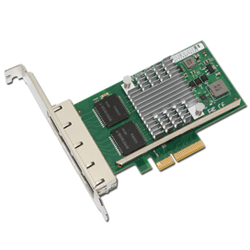

剛發(fā)現(xiàn)新購的 Dell PowerEdge R710 服務(wù)器上配的 Intel Ethernet Server Adapter X520-T2 萬兆網(wǎng)卡居然在 VMware ESXi 里找不到,查了一下有 VMware 的官方驅(qū)動,不過需要另外安裝。
到 VMWare 官方網(wǎng)站下載網(wǎng)卡驅(qū)動,然后上傳到 VMware ESXi 服務(wù)器的一個臨時目錄 /tmp(用 scp 上傳的話當(dāng)然首先要開啟 VMware ESXi 的 SSH 服務(wù)):
$ scp ixgbe-3.4.23-458775.zip root@192.168.2.8:/tmp
ssh 登陸到 VMware ESXi 服務(wù)器后解壓驅(qū)動包,解壓后會得到后綴為 .vib 的驅(qū)動文件:
$ ssh root@192.168.2.8
Password:
The time and date of this login have been sent to the system logs.
VMware offers supported, powerful system administration tools. Please
see www.vmware.com/go/sysadmintools for details.
The ESXi Shell can be disabled by an administrative user. See the
vSphere Security documentation for more information.
~ # cd /tmp/
/tmp # unzip ixgbe-3.4.23-458775.zip
Archive: ixgbe-3.4.23-458775.zip
inflating: ixgbe-3.4.23-offline_bundle-458775.zip
inflating: net-ixgbe-3.4.23-1OEM.500.0.0.406165.x86_64.vib
inflating: doc/README.txt
inflating: source/driver_source_net-ixgbe_3.4.23-1OEM.500.0.0.406165.tgz
inflating: doc/open_source_licenses_net-ixgbe_3.4.23-1OEM.500.0.0.406165.txt
inflating: doc/release_note_net-ixgbe_3.4.23-1OEM.500.0.0.406165.txt
使用 esxcli 命令行安裝 vib 驅(qū)動并檢查是否安裝成功:
/tmp # esxcli software vib install -v /tmp/net-ixgbe-3.4.23-1OEM.500.0.0.406165.x86_64.vib
Installation Result
Message: The update completed successfully, but the system needs to be rebooted for the changes to be effective.
Reboot Required: true
VIBs Installed: Intel_bootbank_net-ixgbe_3.4.23-1OEM.500.0.0.406165
VIBs Removed:
VIBs Skipped:
/tmp # esxcli software vib list
Name Version Vendor Acceptance Level Install Date
-------------------- ---------------------------------- ------ ---------------- ------------
net-ixgbe 3.4.23-1OEM.500.0.0.406165 Intel VMwareCertified 2012-02-24
...
安裝成功后重啟 VMware ESXi,然后查看一下 Intel Corporation 10-Gigabit 網(wǎng)卡驅(qū)動是否能被正確識別出來:
/tmp # lspci | grep 'Network controller'
000:001:00.0 Network controller: Broadcom Corporation Broadcom NetXtreme II BCM5709 1000Base-T [vmnic0]
000:001:00.1 Network controller: Broadcom Corporation Broadcom NetXtreme II BCM5709 1000Base-T [vmnic1]
000:002:00.0 Network controller: Broadcom Corporation Broadcom NetXtreme II BCM5709 1000Base-T [vmnic2]
000:002:00.1 Network controller: Broadcom Corporation Broadcom NetXtreme II BCM5709 1000Base-T [vmnic3]
000:007:00.0 Network controller: Intel Corporation 82599EB 10-Gigabit SFI/SFP+ Network Connection [vmnic4]
000:007:00.1 Network controller: Intel Corporation 82599EB 10-Gigabit SFI/SFP+ Network Connection [vmnic5]
000:008:00.0 Network controller: Intel Corporation 82599EB 10-Gigabit SFI/SFP+ Network Connection [vmnic6]
000:008:00.1 Network controller: Intel Corporation 82599EB 10-Gigabit SFI/SFP+ Network Connection [vmnic7]
使用 vSphere Client 客戶端登入 VMware ESXi 以后,進(jìn)入 Configuration 頁面的 Network Adapters 應(yīng)該會看到新安裝的 vmnic4, vmnic5, vmnic6, vmnic7 4個網(wǎng)卡接口了,或者直接在 ESXi 上用命令行界面:
~ # esxcfg-nics -l
Name PCI Driver Link Speed Duplex MAC Address MTU Description
...
vmnic4 0000:07:00.00 ixgbe Up 10000Mbps Full 90:e2:ba:05:2d:fc 1500 Intel Corporation 82599EB 10-Gigabit SFI/SFP+ Network Connection
vmnic5 0000:07:00.01 ixgbe Down 0Mbps Half 90:e2:ba:05:2d:fd 1500 Intel Corporation 82599EB 10-Gigabit SFI/SFP+ Network Connection
vmnic6 0000:08:00.00 ixgbe Down 0Mbps Half 90:e2:ba:05:29:98 1500 Intel Corporation 82599EB 10-Gigabit SFI/SFP+ Network Connection
vmnic7 0000:08:00.01 ixgbe Up 10000Mbps Full 90:e2:ba:05:29:99 1500 Intel Corporation 82
http://www.vpsee.com/2012/02/int ... on-vmware-esxi-5-0/